 站長(zhǎng)資訊網(wǎng)
本篇文章給大家通過(guò)圖文方式講解JS盒子模型的基本屬性:clientWidth/Height、offsetWidth/Height、offsetTop/Left、scrollWidth/Height、scrollTop/Left,希望對(duì)需要的朋友有所幫助! 寫一個(gè)JS盒子 模型: clientWidth / clientHeight :盒子內(nèi)部的寬高 clientTop / clientLeft :左邊框和上邊框的寬度 offsetWidth / offsetHeight :盒子可見(jiàn)區(qū)域的寬高 offsetParent:獲取它的父參照物(不一定是父元素) offsetTop / offsetLeft:距離其父參照物的上/左偏移(當(dāng)前元素的外邊框到父參照物元素的里邊框) scrollWidth / scrollHeight :可視區(qū)內(nèi)部的真實(shí)寬高 scrollTop / scrollLeft:豎向/橫向滾動(dòng)條卷曲的高度/寬度
<style> .container { width: 300px; height: 300px; border: 3px solid red; margin: 50px; position: relative; } .box { padding: 30px; width: 100px; height: 150px; border: 10px solid lightblue; position: absolute; top: 50px; left: 50px; font-size: 15px; line-height: 100px; text-align: center; overflow: auto; } </style> <body> <div class="container"> <div class="box">盒子</div> </div> </body>
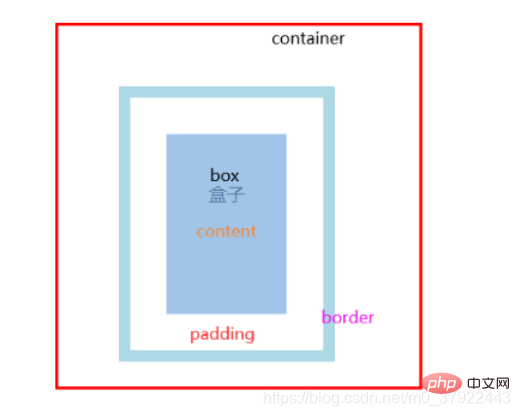
盒子的屬性:client
(1) clientWidth: 內(nèi)容width + 左右padding
(2) clientHeight: 內(nèi)容height + 上下padding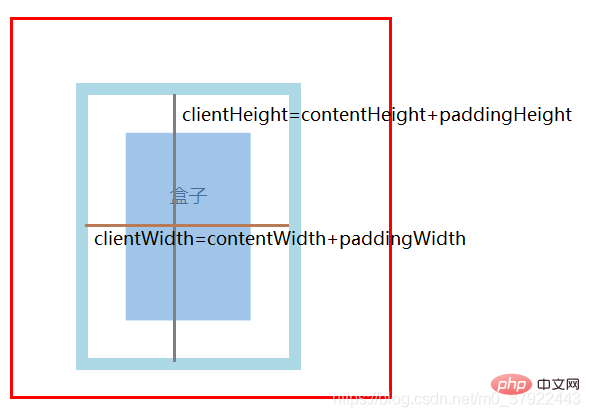
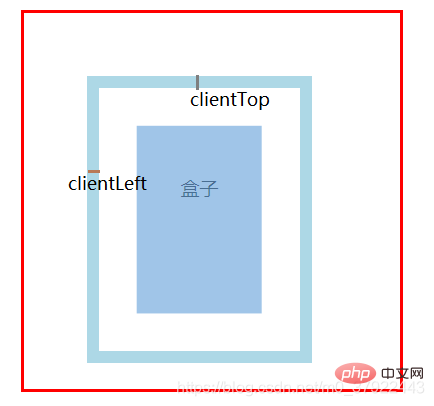
offset
(1) offsetWidth: clientWidth+ 左右border
(2) offsetHeight: clientHeight+ 上下border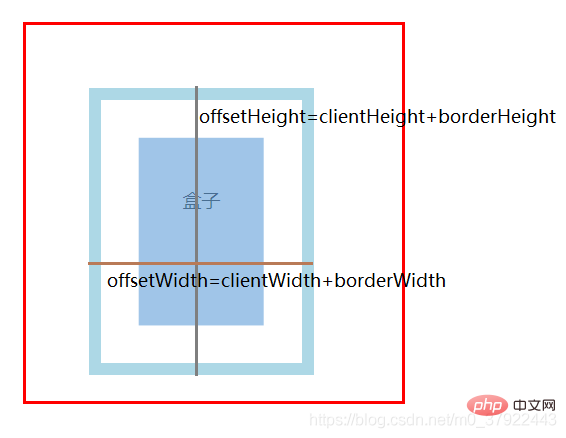
父參照物的查找:
(1) 在同一個(gè)平面中,最外層元素是所有后代元素的父參照物;
(2) 而基于position:absolute/relative/fixed會(huì)讓元素脫離文檔流,成為一個(gè)新的平面,從而改變?cè)氐母竻⒄瘴铮?br /> (3) body的父參照物為null。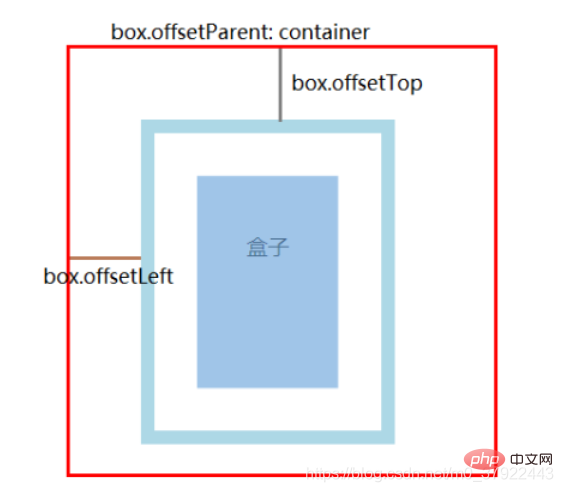
scroll
(1) 沒(méi)有內(nèi)容溢出時(shí): scrollWidth/Height = clientWidth/Height
(2) 有溢出的話不一樣,結(jié)果約等于盒子真實(shí)內(nèi)容的寬高:上下padding+真實(shí)內(nèi)容的寬高;
(3) 只要出現(xiàn)溢出的情況,overflow的值,也會(huì)一定程度地改變scroll的結(jié)果。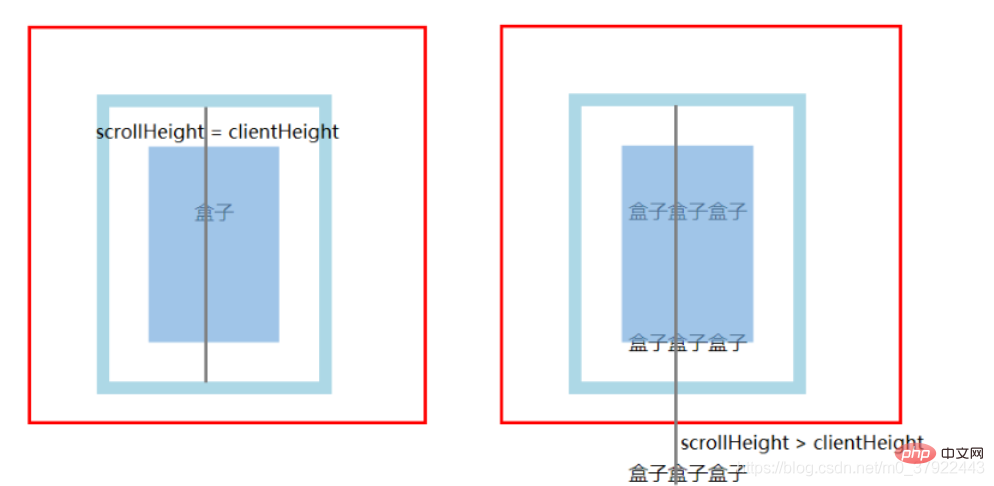
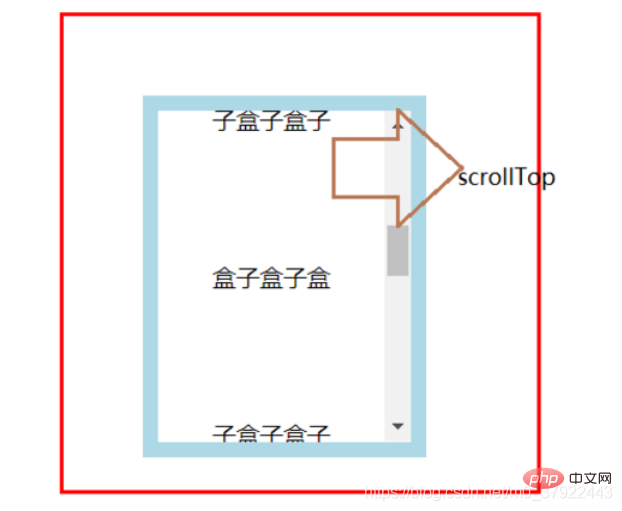
注:上面的屬性里,只有scrollLeft和scrollTop可以設(shè)置值,其他屬性都是只讀
最細(xì)講解JS盒子模型的基本屬性(圖文示例)
相關(guān)推薦
- RAKsmart法蘭克福裸機(jī)云服務(wù)器購(gòu)買需注意事項(xiàng)
- RakSmart洛杉磯裸機(jī)云服務(wù)器影響分析
- RAKsmart服務(wù)器多語(yǔ)言網(wǎng)站的核心需求分析
- raksmart香港試用的云服務(wù)器能用來(lái)干什么?
- RAKsmart液冷技術(shù)如何實(shí)現(xiàn)PUE
- RAKsmart站群服務(wù)器對(duì)海外貿(mào)易網(wǎng)站的核心優(yōu)勢(shì)
- RAKsmart站群服務(wù)器對(duì)海外貿(mào)易網(wǎng)站的核心優(yōu)勢(shì)
- RAKsmart的高防服務(wù)器有哪些具體功能?
